
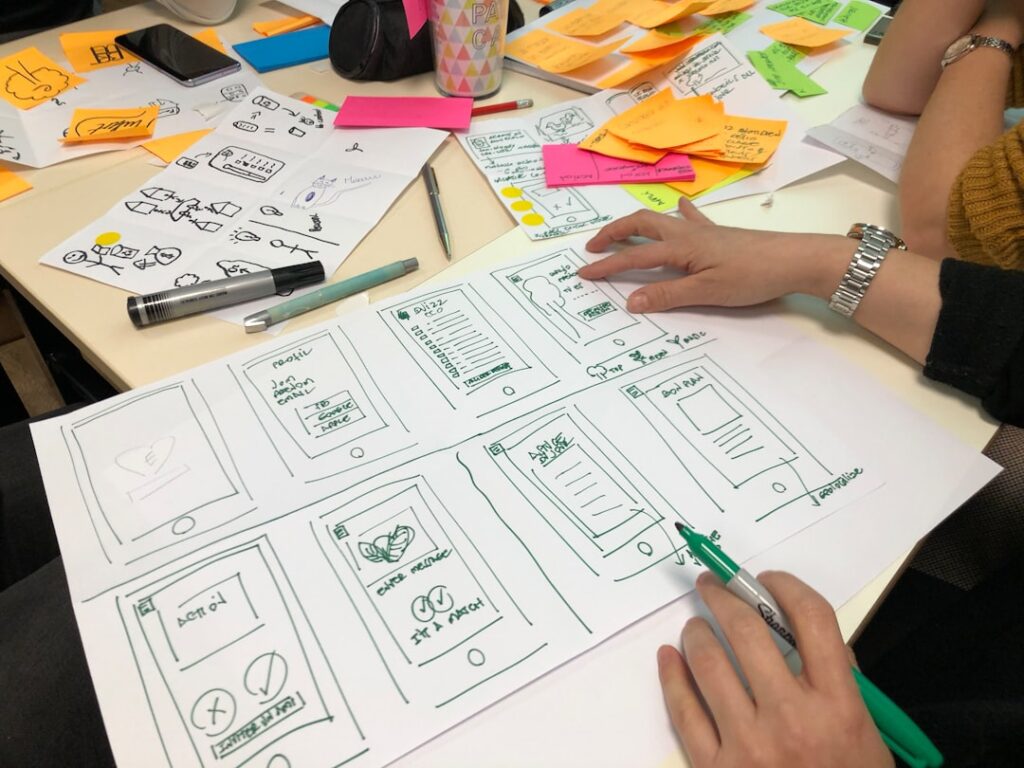
In the realm of user experience (UX) design, comprehending user needs and goals is paramount. This foundational step involves delving into the motivations, preferences, and pain points of the target audience. By understanding what users seek to achieve when interacting with a product or service, designers can create solutions that resonate deeply with them.
For instance, if a team is developing a fitness app, it is crucial to identify whether users are primarily interested in tracking workouts, monitoring nutrition, or connecting with a community. Each of these goals requires a different approach in terms of features and functionality. Moreover, understanding user needs extends beyond mere functionality; it encompasses emotional and contextual factors as well.
Users may desire a sense of accomplishment, social interaction, or even stress relief from their experiences. Conducting interviews or surveys can reveal these deeper insights, allowing designers to craft experiences that not only meet practical needs but also foster emotional connections. For example, a meditation app might focus on creating a calming interface and soothing sounds to enhance the user’s emotional journey, thereby aligning the design with the user’s intrinsic goals.
Key Takeaways
- Understanding user needs and goals is essential for creating a user-centered design.
- Conducting user research and testing helps in gaining insights into user behavior and preferences.
- Creating user personas and scenarios helps in understanding the target audience and their needs.
- Information architecture and wireframing are crucial for organizing and structuring content effectively.
- Visual design and prototyping help in creating a visually appealing and functional interface.
Conducting User Research and Testing
User research is an essential component of the UX design process, providing valuable insights that inform design decisions. This phase typically involves various methodologies, including qualitative and quantitative research techniques. Qualitative methods such as interviews and focus groups allow designers to gather rich, narrative-driven data about user experiences and expectations.
In contrast, quantitative methods like surveys can yield statistical insights that help identify trends and patterns among larger user groups. For instance, a survey might reveal that 70% of users prefer a specific navigation style, guiding designers toward more user-friendly solutions. Once initial designs are created, user testing becomes critical in validating assumptions and refining the product.
Usability testing sessions can be conducted with real users who interact with prototypes or existing products while observers note their behaviors and feedback. This iterative process helps identify usability issues that may not have been apparent during the design phase. For example, if users struggle to locate a key feature during testing, designers can revisit the layout and make necessary adjustments to enhance clarity and accessibility.
The insights gained from user testing are invaluable for creating a product that truly meets user expectations.
Creating User Personas and Scenarios
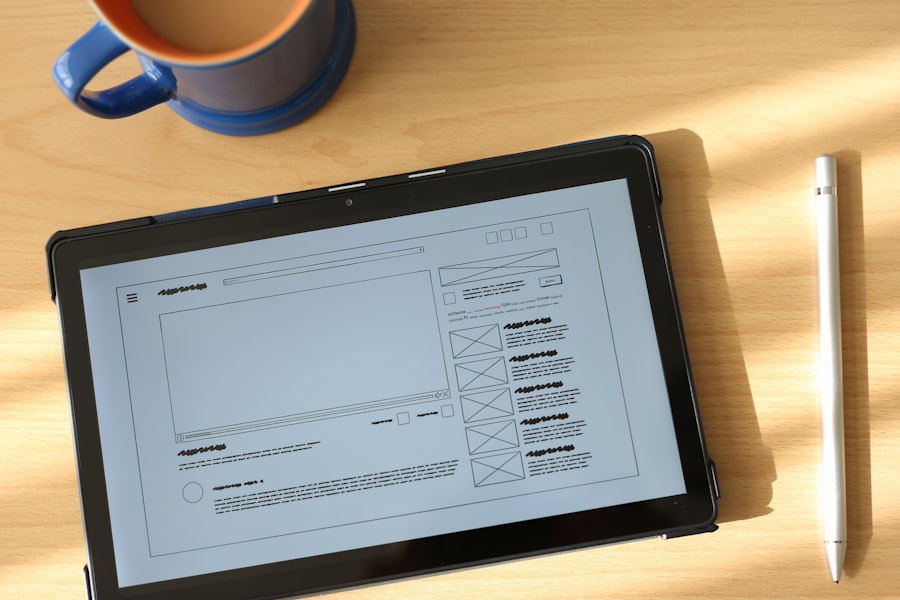
User personas are fictional representations of target users based on research data, designed to encapsulate the characteristics, needs, and behaviors of real users. Creating detailed personas helps designers maintain a user-centered focus throughout the design process. Each persona typically includes demographic information, goals, challenges, and preferences.
For instance, a persona for an e-commerce website might represent a busy professional who values efficiency and quick access to product information. By keeping this persona in mind, designers can prioritize features that streamline the shopping experience. In addition to personas, scenarios are crafted to illustrate how these users might interact with the product in real-life situations.
Scenarios provide context for the personas, detailing specific tasks they might undertake and the environment in which they operate. For example, a scenario for the aforementioned e-commerce persona could describe how they use their mobile device during a lunch break to quickly browse for gifts. This narrative not only highlights user goals but also informs design decisions regarding mobile responsiveness and ease of navigation.
Together, personas and scenarios serve as guiding tools that ensure design choices align with user needs.
Information Architecture and Wireframing
Information architecture (IA) is the structural foundation of any digital product, determining how information is organized and presented to users.
Designers often begin by creating site maps that outline the hierarchy of information and relationships between different sections of the product.
For instance, an educational platform might categorize content into modules, lessons, and quizzes, ensuring users can easily locate relevant materials. Wireframing is the next step in translating IA into visual representations of the product’s layout. Wireframes serve as blueprints that outline the placement of elements such as buttons, images, and text without delving into visual design details.
This stage allows designers to focus on functionality and usability before committing to aesthetics. For example, a wireframe for a news website might prioritize prominent headlines and easy access to categories like politics, sports, and entertainment. By iterating on wireframes based on feedback from stakeholders or potential users, designers can refine the layout to enhance usability before moving on to high-fidelity designs.
Visual Design and Prototyping
Once wireframes are approved, visual design comes into play, where aesthetics meet functionality. This phase involves selecting color schemes, typography, imagery, and other visual elements that align with the brand identity while enhancing user experience. Effective visual design not only captures attention but also guides users through the interface by establishing visual hierarchies and cues.
For instance, using contrasting colors for call-to-action buttons can draw users’ eyes to important actions they need to take. Prototyping is an integral part of this stage, allowing designers to create interactive models of the product that simulate user interactions. Prototypes can range from low-fidelity versions that focus on layout to high-fidelity versions that closely resemble the final product in terms of design and functionality.
Tools like Figma or Adobe XD enable designers to build prototypes that stakeholders can test and provide feedback on before development begins. This iterative process ensures that any design flaws are identified early on, saving time and resources in later stages of development.
Usability and Accessibility
Usability is a critical aspect of UX design that focuses on how effectively users can achieve their goals within a product. A usable product minimizes confusion and frustration while maximizing efficiency and satisfaction. Conducting usability tests helps identify areas where users may struggle or become disengaged.
For example, if users frequently abandon a form due to its complexity or unclear instructions, designers must revisit the form’s layout and language to enhance clarity. Accessibility is closely intertwined with usability but specifically addresses the needs of users with disabilities. Designing for accessibility ensures that all users can interact with a product regardless of their physical or cognitive abilities.
This includes implementing features such as keyboard navigation for those who cannot use a mouse or providing alternative text for images for visually impaired users relying on screen readers. Adhering to established guidelines like the Web Content Accessibility Guidelines (WCAG) not only broadens the audience but also fosters inclusivity in digital experiences.
Collaboration with Developers and Stakeholders
Collaboration between designers, developers, and stakeholders is essential for successful UX projects. Designers must communicate their vision clearly while being open to feedback from developers who understand technical constraints and possibilities. Regular meetings or workshops can facilitate this collaboration by ensuring all parties are aligned on project goals and timelines.
Stakeholders also play a crucial role in shaping the direction of a project by providing business insights and strategic objectives. Engaging stakeholders early in the design process helps ensure that user needs align with business goals.
For example, if stakeholders emphasize the importance of increasing user engagement on a platform, designers can prioritize features that encourage interaction while still addressing user needs. This collaborative approach fosters a sense of ownership among all parties involved and leads to more cohesive outcomes.
Continuous Improvement and Iteration
The UX design process is inherently iterative; it does not end with the launch of a product but continues through ongoing evaluation and refinement. Continuous improvement involves gathering user feedback post-launch through analytics tools or direct user input to identify areas for enhancement. For instance, if analytics reveal that users drop off at a specific point in a checkout process, designers can investigate potential barriers and implement changes to streamline that experience.
Iteration allows teams to adapt quickly to changing user needs or market conditions. Agile methodologies often support this approach by breaking projects into smaller cycles where teams can test new features or improvements regularly. By fostering a culture of experimentation and responsiveness to feedback, organizations can ensure their products remain relevant and effective over time.
This commitment to continuous improvement not only enhances user satisfaction but also strengthens brand loyalty as users feel their needs are being prioritized in an evolving digital landscape.
If you’re interested in learning more about the basics of web development, you should check out the article “Hello World” on Hellread. This article provides a beginner-friendly introduction to coding and programming, which can be a valuable skill for UX designers looking to enhance their technical knowledge. By understanding the fundamentals of web development, UX designers can better collaborate with developers and create more user-friendly interfaces. To read more about this topic, visit Hello World.
FAQs
What is UX design?
UX design stands for user experience design, and it focuses on creating products and services that provide meaningful and relevant experiences to users. This involves the design of the entire process of acquiring and integrating the product, including aspects of branding, design, usability, and function.
What are the key principles of UX design?
The key principles of UX design include understanding the user, designing for usability, focusing on the user’s needs and goals, providing a seamless and intuitive experience, and continuously iterating and improving the design based on user feedback.
What are the essential skills for a UX designer?
Essential skills for a UX designer include user research, wireframing and prototyping, interaction design, visual design, information architecture, and usability testing. Additionally, strong communication and collaboration skills are important for working with cross-functional teams.
What is the design process for UX design?
The design process for UX design typically involves understanding the problem, conducting user research, creating personas and user journeys, ideating and sketching, creating wireframes and prototypes, testing and iterating, and finally, implementing the design.
How does UX design differ from UI design?
UX design focuses on the overall feel of the experience, while UI design focuses on the look and feel of the product. UX design is more concerned with the user’s journey and how they interact with the product, while UI design is more about the visual and interactive elements.




