
User Experience (UX) design has emerged as a critical discipline in the digital landscape, focusing on the interaction between users and products, particularly in the realm of technology. It encompasses a wide array of processes and methodologies aimed at enhancing user satisfaction by improving the usability, accessibility, and pleasure provided in the interaction with a product. The rise of the internet and mobile applications has made UX design an essential component of product development, as companies strive to create engaging and effective experiences that resonate with their target audiences.
As a result, UX design is not merely about aesthetics; it is fundamentally about understanding users and their needs, ensuring that products are not only functional but also enjoyable to use. The importance of UX design can be seen in its direct impact on business success. Companies that prioritize user experience often see increased customer loyalty, higher conversion rates, and improved brand reputation.
For instance, a well-designed e-commerce website can significantly reduce cart abandonment rates by providing a seamless shopping experience. In contrast, a poorly designed interface can frustrate users, leading them to abandon the product altogether. As digital products continue to proliferate, the demand for skilled UX designers who can create meaningful interactions will only grow, making it imperative for organizations to invest in this area.
Key Takeaways
- UX design focuses on creating products and services that provide meaningful and relevant experiences to users.
- Understanding user needs and behaviors is crucial for designing effective and user-centered experiences.
- User-centered design principles prioritize the needs and preferences of the end user throughout the design process.
- Designing for accessibility and inclusivity ensures that products and services can be used by people of all abilities and backgrounds.
- Creating intuitive and seamless user experiences involves simplifying interactions and minimizing cognitive load for users.
Understanding User Needs and Behaviors
At the heart of effective UX design lies a deep understanding of user needs and behaviors. This understanding is achieved through various research methods, including interviews, surveys, and observational studies. By engaging directly with users, designers can gather insights into their preferences, pain points, and motivations.
For example, a designer working on a fitness app might conduct interviews with potential users to learn about their exercise habits, goals, and the challenges they face in maintaining a healthy lifestyle. This qualitative data is invaluable in shaping the app’s features and functionalities to better align with user expectations. Moreover, understanding user behavior extends beyond initial research; it involves continuous observation and analysis throughout the product lifecycle.
Analytics tools can track how users interact with a product, revealing patterns that inform design decisions. For instance, if data shows that users frequently abandon a particular feature or struggle to navigate a specific section of an app, designers can investigate further to identify underlying issues. This iterative approach ensures that the design evolves in response to real user experiences, ultimately leading to a more refined and effective product.
Principles of User-Centered Design
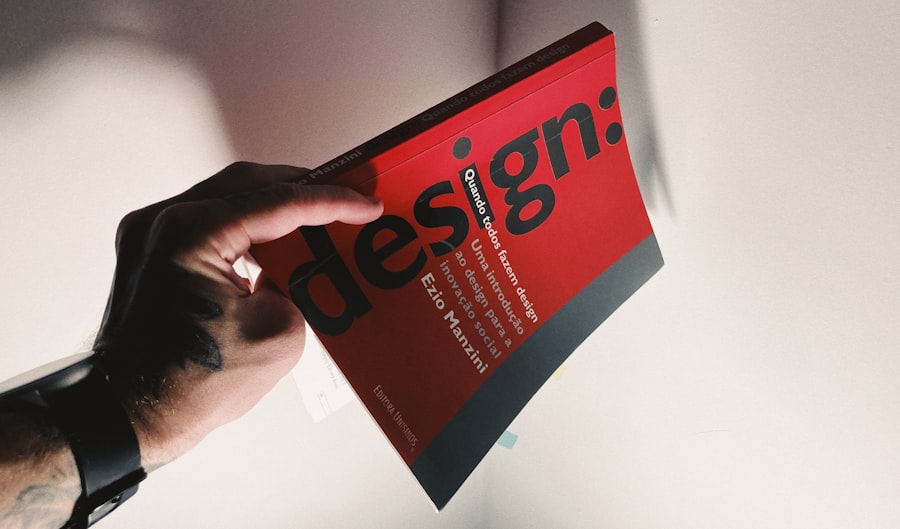
User-Centered Design (UCD) is a foundational principle in UX design that emphasizes the importance of involving users throughout the design process. This approach ensures that the final product is tailored to meet the specific needs and preferences of its intended audience. UCD is characterized by several key principles, including empathy, iteration, and collaboration.
Empathy involves putting oneself in the user’s shoes to understand their experiences and challenges. This mindset fosters a design process that prioritizes user satisfaction over technical specifications or business goals. Iteration is another critical aspect of UCD.
Designers are encouraged to create prototypes and conduct usability testing at various stages of development. This iterative cycle allows for continuous feedback and refinement, ensuring that the product evolves based on user input. For example, a team developing a new software application might create low-fidelity wireframes to test basic concepts before investing time in high-fidelity designs.
By gathering user feedback early on, designers can identify potential issues and make necessary adjustments before moving forward. Collaboration is equally vital in UCD. Involving cross-functional teams—such as developers, marketers, and stakeholders—ensures that diverse perspectives are considered during the design process.
This collaborative approach not only enriches the design but also fosters a shared understanding of user needs across the organization. By breaking down silos and encouraging open communication, teams can create more cohesive and effective user experiences.
Designing for Accessibility and Inclusivity
Designing for accessibility and inclusivity is an essential consideration in UX design, as it ensures that products are usable by individuals with diverse abilities and backgrounds. Accessibility refers to the practice of making products usable for people with disabilities, while inclusivity encompasses a broader range of factors, including cultural differences and varying levels of digital literacy. By prioritizing these aspects in the design process, UX designers can create experiences that are welcoming and functional for all users.
One practical approach to enhancing accessibility is adhering to established guidelines such as the Web Content Accessibility Guidelines (WCAG). These guidelines provide a framework for creating content that is perceivable, operable, understandable, and robust for individuals with disabilities. For instance, incorporating alternative text for images allows visually impaired users to understand visual content through screen readers.
Similarly, ensuring sufficient color contrast between text and background enhances readability for users with visual impairments. Inclusivity goes beyond mere compliance with accessibility standards; it involves actively considering the diverse needs of users from various backgrounds. This may include designing interfaces that accommodate different languages or cultural norms.
For example, an e-commerce platform targeting international markets should consider localization strategies that adapt content to resonate with local customs and preferences. By embracing inclusivity in design, organizations not only expand their user base but also foster a sense of belonging among all users.
Creating Intuitive and Seamless User Experiences
An intuitive user experience is one where users can navigate a product effortlessly without confusion or frustration.
A well-structured information architecture helps users find what they need quickly and efficiently.
For instance, an online banking application should have clearly labeled sections for account management, transactions, and customer support to guide users seamlessly through their tasks. Seamlessness in user experience also involves minimizing friction points that can disrupt the flow of interaction. This can be achieved through thoughtful design choices such as reducing the number of steps required to complete a task or providing contextual help when users encounter difficulties.
For example, an onboarding process for a new software application might include interactive tutorials that guide users through key features without overwhelming them with information all at once. By creating a smooth transition from one task to another, designers can enhance user satisfaction and encourage continued engagement. Additionally, consistency across different platforms and devices plays a crucial role in creating intuitive experiences.
Users should feel familiar with an interface regardless of whether they are accessing it via a desktop computer or a mobile device. Consistent visual elements—such as color schemes, typography, and iconography—help reinforce brand identity while providing users with a cohesive experience across touchpoints.
The Role of Research and Testing in UX Design

Research and testing are integral components of the UX design process that inform decision-making and validate design choices. Conducting thorough research at the outset helps designers understand user needs and market trends, while ongoing testing ensures that designs meet those needs effectively. Various research methods can be employed, including qualitative approaches like focus groups or ethnographic studies, as well as quantitative methods such as surveys or A/B testing.
Usability testing is particularly valuable in assessing how real users interact with a product before its launch. By observing users as they navigate prototypes or beta versions of an application, designers can identify pain points and areas for improvement. For instance, if users struggle to locate a specific feature during testing sessions, designers can analyze their behavior to determine whether the issue lies in navigation or labeling.
This feedback loop allows for iterative refinements that enhance overall usability. Moreover, research does not end once a product is launched; it should be an ongoing process throughout the product lifecycle. Post-launch analytics can provide insights into user behavior patterns and highlight areas where further enhancements may be needed.
By continuously gathering feedback from users after deployment—whether through surveys or direct engagement—designers can ensure that their products remain relevant and effective over time.
Tools and Techniques for UX Design
The field of UX design is supported by an array of tools and techniques that facilitate various aspects of the design process. From wireframing to prototyping and usability testing, these tools enable designers to visualize concepts and gather feedback efficiently. Popular wireframing tools like Sketch or Figma allow designers to create low-fidelity representations of their ideas quickly.
These wireframes serve as blueprints for layout and functionality before investing time in high-fidelity designs. Prototyping tools such as InVision or Adobe XD enable designers to create interactive mockups that simulate user interactions with a product. These prototypes can be invaluable during usability testing sessions, allowing stakeholders to experience the design firsthand and provide feedback based on real interactions rather than static images.
Additionally, tools like UserTesting or Lookback facilitate remote usability testing by enabling designers to observe users interacting with their prototypes in real-time. Collaboration tools also play a significant role in modern UX design workflows. Platforms like Miro or Trello allow teams to brainstorm ideas collectively, organize tasks efficiently, and maintain clear communication throughout the project lifecycle.
By leveraging these tools effectively, UX designers can streamline their processes while fostering collaboration among team members.
Future Trends in UX Design
As technology continues to evolve at an unprecedented pace, so too does the field of UX design.
One notable trend is the increasing integration of artificial intelligence (AI) into UX design processes.
AI-powered tools can analyze user behavior patterns more efficiently than traditional methods, providing insights that inform design decisions at scale. For instance, chatbots powered by AI are becoming commonplace in customer service applications, offering personalized assistance while enhancing user engagement. Another significant trend is the growing emphasis on voice user interfaces (VUIs) as voice-activated devices gain popularity.
Designing for voice interactions presents unique challenges compared to traditional graphical interfaces; however, it also opens up new opportunities for creating intuitive experiences that cater to hands-free usage scenarios. As more consumers adopt smart speakers and voice assistants like Amazon Alexa or Google Assistant, UX designers must adapt their strategies to accommodate this shift toward voice-driven interactions. Furthermore, sustainability is becoming an increasingly important consideration in UX design as consumers demand more environmentally responsible practices from brands.
Designers are exploring ways to create digital experiences that minimize energy consumption or promote eco-friendly behaviors among users. This trend reflects a broader societal shift toward sustainability and highlights the role of UX design in addressing global challenges. In conclusion, UX design is an ever-evolving field that requires a deep understanding of user needs and behaviors while adhering to principles of user-centered design.
By prioritizing accessibility and inclusivity alongside intuitive experiences, designers can create products that resonate with diverse audiences. The integration of research and testing into the design process ensures continuous improvement while leveraging modern tools enhances efficiency and collaboration among teams. As we look ahead to future trends such as AI integration and voice interfaces, it is clear that UX design will continue to play a pivotal role in shaping how we interact with technology in our daily lives.
If you’re delving into “The UX Design Guide” by various authors and are eager to expand your understanding of user experience design, you might find the article titled “Hello World” on Hellread to be a valuable resource. This article provides insights into the foundational aspects of UX design, making it a perfect companion piece to the guide. For more information, you can read the full article by following this link.
FAQs
What is UX design?
UX design, or user experience design, is the process of creating products, such as websites or applications, that provide meaningful and relevant experiences to users. This involves understanding users’ needs and behaviors, and designing the product to meet those needs in an intuitive and enjoyable way.
What are the key principles of UX design?
Key principles of UX design include understanding the user, designing for usability, focusing on the user’s journey, providing clear and consistent feedback, and creating a seamless and enjoyable experience.
Why is UX design important?
UX design is important because it directly impacts how users interact with a product. A well-designed user experience can lead to increased user satisfaction, higher conversion rates, and overall success of the product.
What are some common UX design methods and techniques?
Common UX design methods and techniques include user research, persona development, user journey mapping, wireframing, prototyping, usability testing, and iterative design.
What are the key differences between UX design and UI design?
UX design focuses on the overall user experience, including the user’s emotions and perceptions, while UI design, or user interface design, focuses on the visual and interactive elements of the product. UX design is more concerned with the overall feel of the product, while UI design is more about the look and feel.