
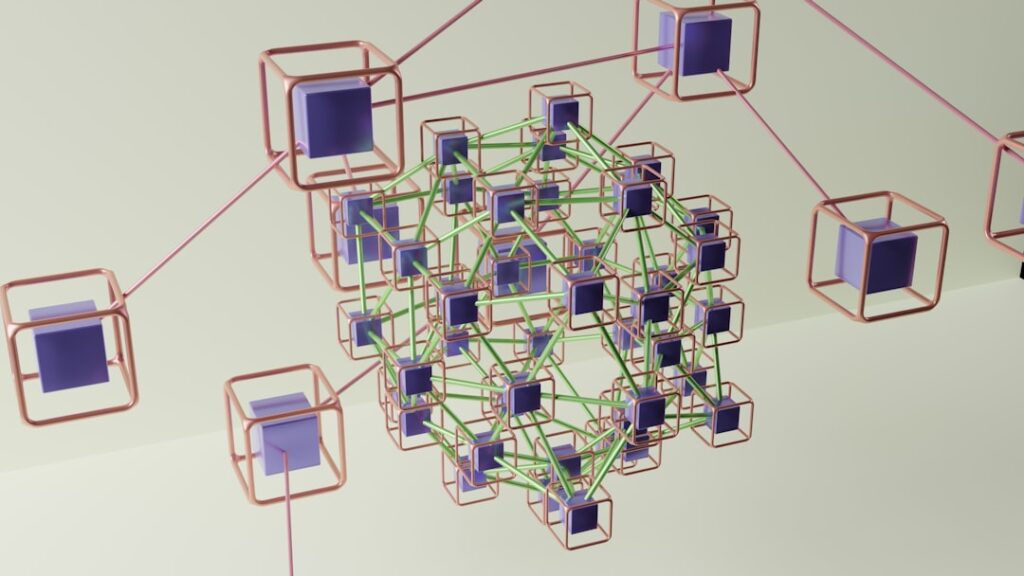
Virtualization is a technology that allows for the creation of a virtual version of something, such as hardware platforms, storage devices, or network resources. At its core, virtualization enables a single physical machine to host multiple virtual machines (VMs), each of which operates as an independent system with its own operating system and applications. This abstraction layer separates the physical hardware from the software, allowing for more efficient resource utilization and management.
The concept of virtualization has evolved significantly since its inception, initially gaining traction in mainframe computing environments before expanding into various domains, including servers, desktops, and networks. The process of virtualization involves the use of a hypervisor, which is a software layer that sits between the hardware and the operating systems. The hypervisor allocates resources such as CPU, memory, and storage to each virtual machine, ensuring that they operate independently while sharing the underlying physical resources.
This capability not only enhances flexibility and scalability but also simplifies management tasks. For instance, organizations can quickly deploy new applications or services by spinning up additional VMs without the need for additional physical hardware. As a result, virtualization has become a cornerstone of modern IT infrastructure, enabling businesses to respond rapidly to changing demands and optimize their resource allocation.
Key Takeaways
- Virtualization is the process of creating a virtual version of something, such as a server, storage device, network or operating system, to optimize resources and improve efficiency.
- Benefits of virtualization include cost savings, improved resource utilization, increased flexibility and scalability, and simplified management and maintenance.
- Types of virtualization include server virtualization, storage virtualization, network virtualization, and desktop virtualization, each serving different purposes and offering unique benefits.
- Virtualization technologies include hypervisors, containers, and virtual machines, each with its own set of features and capabilities for creating and managing virtual environments.
- Virtualization in the cloud allows for on-demand access to virtualized resources, enabling organizations to quickly scale and adapt to changing business needs while reducing infrastructure costs.
Benefits of Virtualization
The benefits of virtualization are manifold, making it an attractive option for organizations of all sizes. One of the most significant advantages is cost savings. By consolidating multiple physical servers into fewer machines through virtualization, organizations can reduce hardware costs, energy consumption, and space requirements in data centers.
This consolidation leads to lower operational expenses and allows IT departments to allocate their budgets more effectively. For example, a company that previously operated ten physical servers may find that it can run the same workloads on just three virtualized servers, resulting in substantial savings on both hardware and energy bills.
Organizations can quickly provision new virtual machines to meet fluctuating demands without the lengthy procurement processes associated with physical hardware. This agility is particularly beneficial in environments where workloads can vary significantly, such as in development and testing scenarios or during peak business periods. Furthermore, virtualization facilitates disaster recovery and business continuity planning.
By creating snapshots of virtual machines or replicating them across different locations, organizations can ensure that critical applications remain available even in the event of hardware failures or other disruptions.
Types of Virtualization

Virtualization can be categorized into several types, each serving different purposes and use cases. Server virtualization is perhaps the most well-known type, where multiple virtual servers run on a single physical server.
Within server virtualization, there are two primary types: full virtualization and paravirtualization. Full virtualization allows guest operating systems to run unmodified on the hypervisor, while paravirtualization requires modifications to the guest OS for better performance. Desktop virtualization is another prominent type that enables users to access their desktop environments remotely from various devices.
This approach is particularly useful in organizations with remote workforces or those looking to streamline desktop management. Virtual Desktop Infrastructure (VDI) is a common implementation of desktop virtualization, where desktop environments are hosted on centralized servers and delivered to end-users over a network. Network virtualization abstracts network resources to create a virtualized network environment.
This type allows for the segmentation of networks into multiple virtual networks that can operate independently while sharing the same physical infrastructure. Storage virtualization aggregates multiple storage devices into a single logical unit, simplifying storage management and improving resource allocation.
Virtualization Technologies
Numerous technologies underpin virtualization, each contributing to its functionality and efficiency. Hypervisors are at the heart of virtualization technology; they can be classified into two main types: Type 1 (bare-metal) hypervisors and Type 2 (hosted) hypervisors. Type 1 hypervisors run directly on the physical hardware and manage guest operating systems without an underlying host OS.
Examples include VMware vSphere/ESXi and Microsoft Hyper-
Type 2 hypervisors, on the other hand, run on top of an existing operating system and are typically used for desktop virtualization scenarios. Examples include Oracle VirtualBox and VMware Workstation. While Type 2 hypervisors are easier to set up and use for individual users or small-scale deployments, they may not offer the same level of performance as Type 1 hypervisors in large-scale environments.
Containerization is another significant technology related to virtualization. Unlike traditional virtualization that creates full virtual machines with their own operating systems, containers share the host OS kernel while isolating applications in user space. This lightweight approach allows for faster deployment times and more efficient resource utilization.
Technologies like Docker and Kubernetes have popularized containerization, enabling developers to build, deploy, and manage applications in a more agile manner.
Virtualization in the Cloud
Scalability and Flexibility
In cloud environments, virtualization plays a crucial role in delivering Infrastructure as a Service (IaaS) solutions. Providers like Amazon Web Services (AWS), Microsoft Azure, and Google Cloud Platform utilize virtualization to offer scalable computing resources on demand. Customers can provision virtual machines in minutes, scaling their infrastructure up or down based on their needs without investing in physical hardware.
Hybrid Cloud Architectures
The cloud also enables organizations to take advantage of hybrid cloud architectures that combine on-premises infrastructure with public cloud resources. This flexibility allows businesses to maintain sensitive data on local servers while leveraging the cloud for less critical workloads or during peak usage times.
Managed Services and Collaboration
Furthermore, cloud providers often offer managed services that abstract much of the complexity associated with virtualization management, allowing organizations to focus on their core business activities rather than infrastructure maintenance. Additionally, cloud-based virtualization solutions facilitate collaboration among distributed teams by providing access to shared resources from anywhere with an internet connection. This capability has become increasingly important in today’s remote work environment, where employees need seamless access to applications and data regardless of their physical location.
Virtualization Management
Effective management of virtualized environments is essential for maximizing their benefits and ensuring optimal performance. Virtualization management tools provide administrators with the ability to monitor resource utilization, manage workloads, and automate routine tasks across virtual machines. These tools often include features such as performance monitoring dashboards, capacity planning tools, and automated provisioning capabilities.
One popular example of a virtualization management platform is VMware vCenter Server, which allows administrators to manage multiple ESXi hosts and their associated virtual machines from a single interface. With vCenter Server, IT teams can perform tasks such as live migration of VMs between hosts (vMotion), resource allocation adjustments (Distributed Resource Scheduler), and backup management (vSphere Data Protection). Such centralized management capabilities streamline operations and enhance overall efficiency.
Automation is another critical aspect of virtualization management. By leveraging scripting languages or orchestration tools like Ansible or Terraform, organizations can automate repetitive tasks such as VM provisioning, configuration changes, and updates. This not only reduces the potential for human error but also frees up IT staff to focus on more strategic initiatives rather than mundane operational tasks.
Security Considerations in Virtualization
While virtualization offers numerous advantages, it also introduces unique security challenges that organizations must address proactively. One primary concern is the potential for vulnerabilities within the hypervisor itself. If an attacker gains access to the hypervisor layer, they could potentially compromise all virtual machines running on that host.
Therefore, securing the hypervisor through regular updates and patches is critical. Another security consideration involves inter-VM communication. Virtual machines often share resources on the same physical host, which can create opportunities for lateral movement by malicious actors if one VM is compromised.
Implementing strict network segmentation policies within virtualized environments can help mitigate this risk by isolating VMs based on their roles or sensitivity levels. Data protection is also paramount in virtualized environments. Organizations should employ encryption techniques for data at rest and in transit to safeguard sensitive information from unauthorized access.
Additionally, regular backups of virtual machines are essential for disaster recovery planning; however, these backups must also be secured to prevent them from becoming targets for cyberattacks.
Future Trends in Virtualization
As technology continues to evolve, so too does the landscape of virtualization. One notable trend is the increasing adoption of edge computing, which brings computation closer to data sources such as IoT devices or remote locations. Virtualization will play a crucial role in enabling edge computing by allowing organizations to deploy lightweight virtual machines or containers at edge locations for real-time processing and analytics.
Another emerging trend is the integration of artificial intelligence (AI) and machine learning (ML) into virtualization management tools. These technologies can enhance automation capabilities by predicting resource needs based on historical usage patterns or identifying potential security threats through anomaly detection algorithms. As AI continues to advance, its application within virtualization will likely lead to more intelligent resource allocation and improved operational efficiency.
Furthermore, as organizations increasingly embrace multi-cloud strategies—utilizing services from multiple cloud providers—there will be a growing need for interoperability between different virtualization platforms. Standardization efforts may emerge to facilitate seamless migration of workloads across various environments while maintaining consistent performance and security standards. In conclusion, virtualization remains a transformative technology that continues to shape IT infrastructure across industries.
Its benefits extend beyond cost savings and resource optimization; it enables agility, scalability, and enhanced collaboration in an increasingly digital world. As organizations navigate the complexities of modern computing environments, understanding the nuances of virtualization will be essential for leveraging its full potential.
If you are interested in learning more about virtualization, you may also want to check out this article on hellread.com that discusses the benefits of virtualization in the modern world. Virtualization Essentials By Matthew Portnoy provides a comprehensive guide to understanding virtualization technology, and this related article can offer additional insights and perspectives on the topic. Whether you are a beginner or an experienced professional, exploring different resources can help you deepen your knowledge and expertise in virtualization.
FAQs
What is virtualization?
Virtualization is the process of creating a virtual version of something, such as a virtual computer, server, storage device, or network resources. This allows for more efficient use of physical resources and can improve flexibility and scalability.
What are the benefits of virtualization?
Virtualization can lead to cost savings by reducing the need for physical hardware, improving resource utilization, and simplifying management. It also provides greater flexibility, scalability, and agility for IT infrastructure.
What are the different types of virtualization?
There are several types of virtualization, including server virtualization, desktop virtualization, network virtualization, storage virtualization, and application virtualization. Each type serves a different purpose and has its own set of benefits.
What is server virtualization?
Server virtualization involves partitioning a physical server into multiple virtual servers, allowing for better utilization of resources and improved flexibility. This can lead to cost savings and easier management of server infrastructure.
What is desktop virtualization?
Desktop virtualization involves running a desktop operating system and applications on a virtual machine located on a server, rather than on a local computer. This can improve security, simplify management, and provide greater flexibility for end users.
What is network virtualization?
Network virtualization involves creating virtual networks that are decoupled from the underlying physical network infrastructure. This can improve flexibility, scalability, and security, and simplify network management.
What is storage virtualization?
Storage virtualization involves abstracting physical storage resources and presenting them as a single virtual storage pool. This can improve utilization, simplify management, and provide greater flexibility for storage infrastructure.
What is application virtualization?
Application virtualization involves encapsulating an application and its dependencies into a virtual package that can be run on a variety of different systems without installation. This can simplify application management and improve compatibility.




