

Computer networking is a fundamental aspect of modern technology, enabling devices to communicate and share resources efficiently. At its core, a computer network consists of interconnected devices that can exchange data and information. This interconnectivity allows for the sharing of resources such as files, printers, and internet connections, facilitating collaboration and enhancing productivity.
The primary goal of networking is to enable seamless communication between devices, whether they are located in the same room or across the globe. The concept of networking can be traced back to the early days of computing when mainframe computers were connected to terminals.
Today, networking encompasses a wide range of technologies, including wireless communication, cloud computing, and the Internet of Things (IoT). Understanding the basics of computer networking is essential for anyone looking to navigate the digital landscape effectively, as it lays the groundwork for more complex concepts and applications.
Key Takeaways
- Computer networking involves the connection of multiple devices to share resources and information.
- Types of computer networks include LAN (Local Area Network), WAN (Wide Area Network), and WLAN (Wireless Local Area Network).
- Components of a computer network include devices such as routers, switches, and access points, as well as cables and wireless signals.
- Setting up a home network involves choosing the right hardware, configuring network settings, and ensuring security measures are in place.
- Networking protocols and standards such as TCP/IP, Ethernet, and Wi-Fi are essential for communication between devices on a network.
Types of Computer Networks
Computer networks can be categorized into several types based on their size, scope, and purpose. The most common types include local area networks (LANs), wide area networks (WANs), metropolitan area networks (MANs), and personal area networks (PANs). LANs are typically confined to a small geographic area, such as a single building or campus, and are commonly used in homes and offices.
They allow multiple devices to connect to a shared network, facilitating resource sharing and communication. In contrast, WANs cover larger geographic areas, often spanning cities, countries, or even continents. The internet itself is the largest example of a WAN, connecting millions of devices worldwide.
MANs serve as an intermediary between LANs and WANs, covering a larger area than a LAN but smaller than a WAN, often used by organizations that need to connect multiple buildings within a city. PANs are designed for personal devices within a very limited range, such as connecting a smartphone to a laptop via Bluetooth. Each type of network serves specific needs and use cases, highlighting the diversity of networking solutions available today.
Components of a Computer Network
A computer network comprises several key components that work together to facilitate communication and data exchange. These components include hardware devices such as routers, switches, hubs, and access points, as well as software protocols that govern how data is transmitted across the network. Routers are critical devices that connect different networks and direct data packets between them.
They determine the best path for data to travel based on various factors, including network congestion and destination address. Switches play a vital role in LANs by connecting multiple devices within the same network segment. They operate at the data link layer of the OSI model and use MAC addresses to forward data only to the intended recipient, improving efficiency compared to hubs, which broadcast data to all connected devices.
Access points extend wireless connectivity within a network, allowing devices to connect without physical cables. In addition to these hardware components, software protocols such as TCP/IP (Transmission Control Protocol/Internet Protocol) are essential for ensuring reliable communication between devices by defining how data is packaged, addressed, transmitted, and received.
Setting Up a Home Network
Setting up a home network involves several steps that ensure all devices can connect seamlessly and securely. The first step is selecting the right equipment, which typically includes a modem and a router. The modem connects to the internet service provider (ISP) and translates the incoming signal into a format that can be understood by the router.
The router then distributes this internet connection to various devices within the home, either through wired Ethernet connections or wirelessly via Wi-Fi. Once the hardware is in place, configuring the router is crucial for optimal performance and security. This process often involves accessing the router’s web interface through a browser and setting up parameters such as the network name (SSID), password, and security protocols like WPA3 for enhanced protection against unauthorized access.
Additionally, it is advisable to enable features like guest networks for visitors and parental controls for managing internet access for children. After configuration, testing the network’s performance using tools like speed tests can help identify any issues that may need addressing.
Networking Protocols and Standards
Networking protocols are essential for ensuring that devices can communicate effectively across different networks. These protocols define rules and conventions for data transmission, enabling interoperability between diverse systems. One of the most widely used protocols is TCP/IP, which serves as the foundation for internet communication.
TCP ensures reliable transmission by establishing connections between devices and managing data packet delivery, while IP handles addressing and routing. In addition to TCP/IP, there are numerous other protocols that serve specific purposes within networking. For instance, HTTP (Hypertext Transfer Protocol) governs how web pages are transmitted over the internet, while FTP (File Transfer Protocol) facilitates file transfers between computers.
Standards such as IEEE 802.11 define specifications for wireless networking technologies like Wi-Fi, ensuring compatibility among different manufacturers’ equipment. Understanding these protocols and standards is crucial for network administrators and users alike, as they dictate how data flows through networks and influence overall performance.
Troubleshooting Common Networking Issues
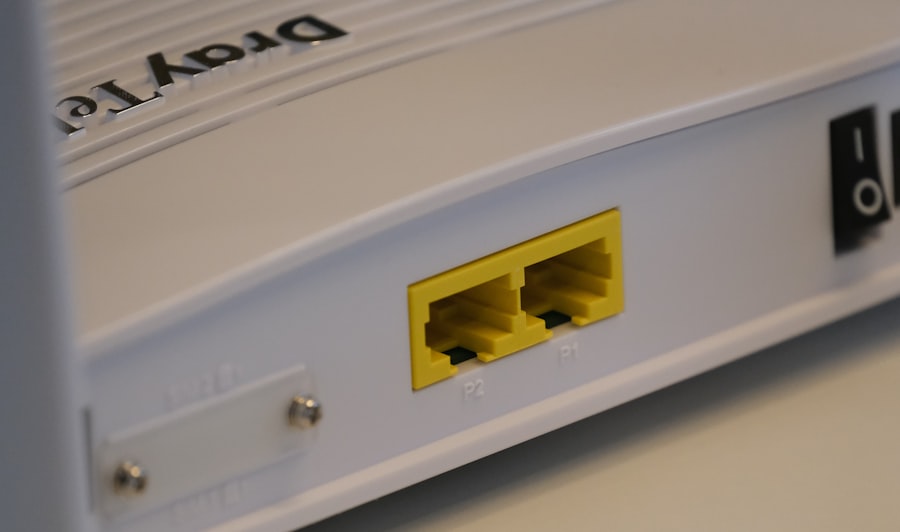
Networking issues can arise from various sources, leading to connectivity problems that can disrupt daily activities. Common issues include slow internet speeds, intermittent connections, or complete loss of connectivity. One effective troubleshooting approach begins with checking physical connections; ensuring that cables are securely plugged in and that devices are powered on can resolve many basic issues.
If physical connections are intact but problems persist, examining software settings is essential. This may involve checking router configurations, ensuring that firmware is up-to-date, or verifying that network settings on individual devices are correctly configured. Tools like ping tests can help diagnose connectivity issues by sending packets to a specific IP address and measuring response times.
Additionally, using network diagnostic tools can provide insights into potential bottlenecks or misconfigurations that may be affecting performance.
Security and Privacy in Computer Networking
As computer networks become increasingly integral to daily life, security and privacy have emerged as paramount concerns.
Implementing robust security measures is essential for safeguarding sensitive information and maintaining trust in digital communications.
One fundamental aspect of network security is encryption, which protects data transmitted over networks from unauthorized access. Protocols like HTTPS (Hypertext Transfer Protocol Secure) encrypt web traffic between users and websites, ensuring that sensitive information such as passwords and credit card numbers remains confidential. Additionally, employing firewalls can help monitor incoming and outgoing traffic, blocking potentially harmful connections while allowing legitimate communications to pass through.
Regularly updating software and firmware is also critical in mitigating vulnerabilities that cybercriminals may exploit.
Future Trends in Computer Networking
The landscape of computer networking is continually evolving as new technologies emerge and user demands change. One significant trend is the increasing adoption of 5G technology, which promises faster speeds and lower latency compared to previous generations of mobile networks. This advancement will enable more devices to connect simultaneously without sacrificing performance, paving the way for innovations in areas such as autonomous vehicles, smart cities, and augmented reality applications.
Another notable trend is the growing emphasis on software-defined networking (SDN), which allows for more flexible management of network resources through software rather than traditional hardware-based approaches. SDN enables network administrators to configure and optimize networks dynamically based on real-time needs, improving efficiency and reducing operational costs. Additionally, the rise of edge computing is reshaping how data is processed by bringing computation closer to where it is generated rather than relying solely on centralized cloud servers.
This shift enhances responsiveness and reduces latency for applications requiring immediate processing capabilities. As technology continues to advance at an unprecedented pace, staying informed about these trends will be crucial for individuals and organizations looking to leverage networking capabilities effectively in an increasingly interconnected world.
If you are interested in learning more about computer networking, you may also want to check out the article “Hello World” on hellread.com. This article provides a beginner-friendly introduction to programming and can help you understand the basics of coding, which is essential for understanding computer networking. Russell Scott’s article on Computer Networking for Beginners is a great starting point, and “Hello World” can further enhance your knowledge in this field.
FAQs
What is computer networking?
Computer networking is the practice of connecting and sharing resources between different computers and devices. This allows for communication, data sharing, and resource access across a network.
What are the benefits of computer networking?
Computer networking allows for easier communication, resource sharing, and collaboration between users and devices. It also enables the sharing of hardware resources such as printers and storage devices.
What are the different types of computer networks?
There are several types of computer networks, including local area networks (LANs), wide area networks (WANs), and wireless networks. LANs are typically used within a single location, while WANs connect multiple locations. Wireless networks use radio waves to connect devices without the need for physical cables.
What are the basic components of a computer network?
The basic components of a computer network include devices such as computers, routers, switches, and access points, as well as network cables or wireless connections. These components work together to enable communication and resource sharing.
What is the role of a router in a computer network?
A router is a networking device that forwards data packets between computer networks. It acts as a gateway, directing traffic between devices on the same network and between different networks.
What is the difference between a wired and wireless network?
A wired network uses physical cables, such as Ethernet cables, to connect devices, while a wireless network uses radio waves to connect devices without the need for cables. Wired networks typically offer faster and more reliable connections, while wireless networks provide more flexibility and mobility.




