

In an age where efficiency and productivity are paramount, the ability to automate mundane tasks can significantly enhance both personal and professional workflows. “Automate the Boring Stuff with Python” is a seminal work by Al Sweigart that introduces readers to the world of automation through the versatile programming language, Python. This book is not merely a technical manual; it serves as a gateway for individuals who may not have a background in programming but are eager to leverage technology to simplify their daily routines.
By focusing on practical applications rather than theoretical concepts, Sweigart empowers readers to take control of their tasks, transforming tedious processes into streamlined operations. The beauty of “Automate the Boring Stuff with Python” lies in its accessibility. The author employs a conversational tone, making complex programming concepts digestible for beginners.
Each chapter is filled with real-world examples that illustrate how Python can be used to automate repetitive tasks, such as data entry, file management, and web scraping. This hands-on approach not only demystifies programming but also instills confidence in readers, encouraging them to experiment with code and develop their own automation scripts. As technology continues to evolve, the skills acquired through this book become increasingly relevant, equipping individuals with the tools necessary to thrive in a digital landscape.
Key Takeaways
- “Automate the Boring Stuff with Python” is a book and online course that teaches how to use Python for automating repetitive tasks.
- Getting started with Python involves installing Python, understanding basic syntax, and using an integrated development environment (IDE) for writing and running code.
- Automating tasks with Python involves using modules like os, shutil, and subprocess to perform tasks such as file manipulation, launching programs, and scheduling tasks.
- Working with files and folders in Python includes tasks like reading and writing files, organizing directories, and handling file metadata.
- Web scraping and working with APIs in Python involves using libraries like BeautifulSoup and requests to extract data from websites and interact with web services.
Getting Started with Python
Setting Up the Environment
The official Python website provides comprehensive installation instructions for various operating systems, ensuring that users can easily set up their development environment. Once installed, users can choose from several integrated development environments (IDEs) or text editors, such as PyCharm, Visual Studio Code, or even the built-in IDLE that comes with Python.
Learning the Basics
After setting up the environment, aspiring programmers should familiarize themselves with basic Python syntax and concepts. This includes understanding variables, data types, control structures like loops and conditionals, and functions. Engaging with interactive platforms such as Codecademy or freeCodeCamp can provide hands-on experience and reinforce learning through practice.
Getting Support
Additionally, the Python community is vast and supportive; forums like Stack Overflow and Reddit’s r/learnpython offer a wealth of resources and advice for those encountering challenges along the way. By building a strong foundation in these fundamental concepts, learners will be well-prepared to tackle more complex automation tasks.
Automating Tasks with Python
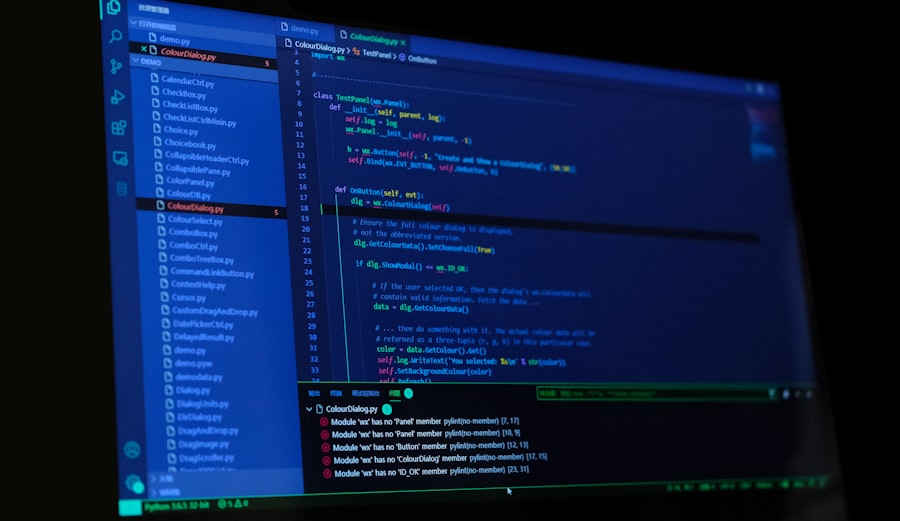
Once a basic understanding of Python is established, the next step is to explore how to automate everyday tasks effectively. Automation can take many forms, from simple scripts that perform repetitive actions to more complex programs that integrate multiple systems. One of the most common applications of automation is in data processing.
For instance, consider a scenario where an employee spends hours each week manually entering data into spreadsheets. By writing a Python script that utilizes libraries such as Pandas or openpyxl, this process can be streamlined significantly. These libraries allow users to read from and write to Excel files effortlessly, enabling bulk data manipulation with just a few lines of code.
Another area ripe for automation is web interaction. Many people find themselves performing repetitive actions on websites, such as filling out forms or scraping data for analysis. Python’s Selenium library provides a powerful tool for automating web browsers, allowing users to simulate user interactions programmatically.
For example, a script could be created to log into a website, navigate through various pages, and extract specific information without any manual input. This not only saves time but also reduces the likelihood of human error in data collection processes.
Working with Files and Folders
File management is another domain where Python excels in automation.
Tasks such as renaming files in bulk, moving files between directories based on specific criteria, or even backing up important documents can be automated using Python’s built-in libraries like os and shutil.
For instance, a script could be written to scan a folder for all files with a certain extension and move them into designated subfolders based on their type or creation date. Moreover, automating file operations can enhance productivity by ensuring that files are consistently organized without manual intervention. For example, consider a photographer who regularly uploads images from various events.
A Python script could automatically sort these images into folders named after the event date or location, making it easier for the photographer to locate specific files later on. This level of automation not only saves time but also minimizes frustration associated with manual file management.
Web Scraping and Working with APIs
Web scraping is an invaluable skill for anyone looking to gather data from the internet efficiently. With the help of libraries like Beautiful Soup and Requests, Python makes it easy to extract information from websites without requiring extensive programming knowledge. For instance, if someone wants to track prices of products across different e-commerce sites, they can write a script that fetches the HTML content of those pages and parses it to extract relevant data points such as product names and prices.
In addition to web scraping, working with APIs (Application Programming Interfaces) opens up new avenues for automation. Many online services provide APIs that allow developers to interact programmatically with their platforms. For example, social media platforms like Twitter and Facebook offer APIs that enable users to post updates or retrieve user data automatically.
By utilizing these APIs in conjunction with Python’s requests library, users can create scripts that automate social media management tasks such as posting updates at scheduled times or analyzing engagement metrics over time.
Interacting with Excel and Google Sheets
Automating Monthly Reports
For example, a financial analyst could automate the process of generating monthly reports by writing a script that pulls data from multiple sources, performs calculations, and populates an Excel template with the results.
Google Sheets Automation
Google Sheets also offers robust automation capabilities through its API. By using the gspread library in Python, users can interact with Google Sheets programmatically. This allows for tasks such as updating spreadsheets in real-time based on external data sources or generating reports that are automatically shared with team members via email.
Enhancing Efficiency and Accuracy
The ability to automate these processes not only enhances efficiency but also ensures that data remains accurate and up-to-date without requiring constant manual oversight.
Automating Email and Text Messages
Communication is a critical aspect of both personal and professional life, and automating email and text messaging can significantly improve efficiency in these areas. Python’s smtplib library allows users to send emails programmatically, making it possible to automate notifications or reminders without manual intervention.
In addition to email automation, sending text messages can also be streamlined using services like Twilio’s API. By integrating Twilio with Python, users can send SMS messages directly from their scripts. This capability is particularly useful for businesses that need to send alerts or confirmations quickly.
For example, an e-commerce platform could automate order confirmation messages sent via SMS immediately after a purchase is made, enhancing customer experience while reducing the workload on customer service teams.
Creating GUI Applications with Python
While many automation tasks can be accomplished through scripts run in command-line interfaces, creating graphical user interface (GUI) applications can make these tools more accessible to non-technical users. Python offers several libraries for building GUIs, including Tkinter and PyQt. These libraries allow developers to create user-friendly applications that can execute complex automation tasks behind the scenes while providing an intuitive interface for users.
For instance, consider an application designed to automate file organization tasks discussed earlier. A GUI could allow users to select folders and specify criteria for organizing files without needing to write any code themselves. By clicking buttons and filling out forms within the application, users can initiate complex file operations effortlessly.
This approach not only broadens the reach of automation tools but also empowers individuals who may not have programming skills to benefit from technology in their daily lives. In summary, “Automate the Boring Stuff with Python” serves as an essential resource for anyone looking to harness the power of automation through programming. By providing practical examples and clear explanations of how Python can be used across various domains—from file management to web scraping—Sweigart equips readers with the knowledge needed to transform tedious tasks into efficient automated processes.
As technology continues to advance, mastering these skills will undoubtedly remain relevant in an increasingly digital world.
If you’re interested in learning more about Python programming and automation, you may want to check out the article “Hello World: A Beginner’s Guide to Python Programming” on hellread.com. This article provides a great introduction to Python programming for beginners and can be a helpful companion to Al Sweigart’s book “Automate the Boring Stuff with Python.” Both resources can help you improve your coding skills and automate repetitive tasks to make your work more efficient.
FAQs
What is “Automate the Boring Stuff with Python” about?
“Automate the Boring Stuff with Python” is a book written by Al Sweigart that teaches readers how to use Python programming to automate repetitive tasks and solve common problems.
Who is the author of “Automate the Boring Stuff with Python”?
The author of “Automate the Boring Stuff with Python” is Al Sweigart, a software developer and tech book author known for his work in the Python programming community.
What can readers learn from “Automate the Boring Stuff with Python”?
Readers can learn how to use Python to automate tasks such as organizing files, updating spreadsheets, sending email, and more. The book covers practical examples and real-world applications of Python programming for automation.
Is “Automate the Boring Stuff with Python” suitable for beginners?
Yes, “Automate the Boring Stuff with Python” is suitable for beginners with no prior programming experience. The book is designed to be accessible to readers who are new to Python and programming in general.
Are there any prerequisites for reading “Automate the Boring Stuff with Python”?
No, there are no specific prerequisites for reading “Automate the Boring Stuff with Python.” The book is written with the assumption that readers have no prior programming knowledge and provides a gentle introduction to Python.




