

In an era where mobile devices have become ubiquitous, the significance of user experience (UX) design for mobile applications cannot be overstated. With billions of users relying on smartphones and tablets for daily tasks, from communication to shopping and entertainment, the design of mobile interfaces plays a crucial role in determining user satisfaction and engagement. A well-crafted UX design not only enhances usability but also fosters brand loyalty, as users are more likely to return to an app that provides a seamless and enjoyable experience.
The stakes are high; research indicates that users will abandon an app if it does not meet their expectations within the first few minutes of use. This reality underscores the necessity for businesses to invest in thoughtful and strategic UX design. Moreover, the mobile landscape is characterized by its unique challenges and opportunities.
Unlike desktop environments, mobile devices have limited screen real estate, which necessitates a different approach to design. The touch interface introduces new interaction paradigms that must be considered, such as finger size and gesture recognition. As a result, mobile UX design must prioritize clarity and efficiency, ensuring that users can navigate through applications with ease.
The importance of UX design extends beyond aesthetics; it encompasses functionality, accessibility, and emotional engagement, all of which contribute to a holistic user experience that can significantly impact a brand’s success in the competitive mobile market.
Key Takeaways
- Good UX design for mobile is crucial for creating a positive user experience and retaining users.
- Understanding user behavior on mobile devices is essential for designing intuitive and user-friendly interfaces.
- Best practices for mobile UX design include prioritizing content, optimizing for touch, and minimizing user input.
- Visual design plays a key role in mobile UX by enhancing usability, guiding user interactions, and creating a cohesive brand experience.
- Navigational strategies for mobile interfaces should focus on simplicity, clarity, and ease of use to help users find what they need quickly.
Understanding User Behavior on Mobile Devices
Understanding User Behavior Patterns
For instance, users may seek to complete tasks rapidly while on the go, leading to a preference for streamlined processes that minimize friction. Understanding these behavioral patterns allows designers to tailor experiences that align with user expectations and needs.
The Psychological Aspects of Mobile Usage
Research has shown that users exhibit different emotional responses when interacting with mobile applications compared to desktop platforms. The immediacy of mobile devices often leads to heightened expectations for speed and responsiveness.
Designing Intuitive Interfaces
Furthermore, the tactile nature of touchscreens introduces a sense of physicality that can enhance user engagement. Designers must leverage these insights to create intuitive interfaces that resonate with users on both functional and emotional levels.
Best Practices for Mobile UX Design
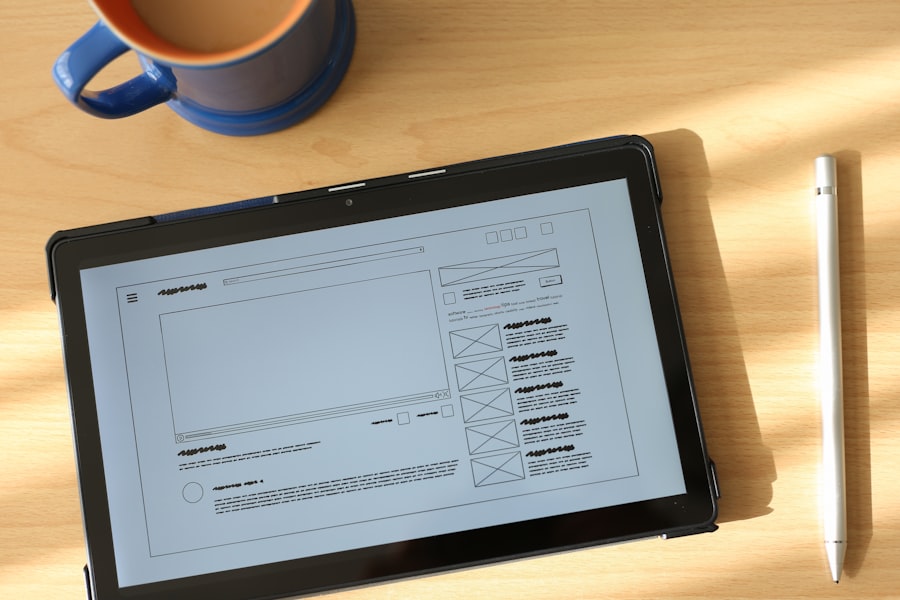
Implementing best practices in mobile UX design is crucial for creating applications that are not only functional but also enjoyable to use. One fundamental principle is the importance of simplicity. Mobile screens are limited in size, which necessitates a focus on essential features and content.
This minimalist approach not only enhances usability but also allows users to quickly identify and access the features they need. Another best practice involves optimizing touch targets for interaction.
Given that users interact with mobile devices using their fingers, it is vital to ensure that buttons and interactive elements are appropriately sized and spaced. Research suggests that touch targets should be at least 44×44 pixels to accommodate varying finger sizes and prevent accidental taps. Additionally, providing visual feedback upon interaction—such as highlighting buttons when pressed—can enhance the overall experience by confirming user actions.
These small yet impactful design choices contribute significantly to the usability of mobile applications.
The Role of Visual Design in Mobile UX
Visual design is a critical component of mobile UX that goes beyond mere aesthetics; it serves as a guiding force for user interaction and engagement. Effective visual design can create a sense of hierarchy within an application, directing users’ attention to the most important elements. For instance, using contrasting colors for call-to-action buttons can make them stand out against the background, encouraging users to take desired actions.
Consistency in visual elements—such as typography, color schemes, and iconography—also plays a vital role in establishing a cohesive brand identity while enhancing usability. Furthermore, visual design can evoke emotions and influence user perceptions of an application. A well-designed interface can instill feelings of trust and professionalism, while a poorly executed one may lead to skepticism or frustration.
Designers should consider the psychological impact of color choices; for example, blue is often associated with trustworthiness, while red can evoke urgency or excitement. By thoughtfully integrating visual design principles into mobile UX, designers can create experiences that resonate with users on a deeper level, ultimately driving engagement and satisfaction.
Navigational Strategies for Mobile Interfaces
Navigational strategies are essential for guiding users through mobile applications effectively. Given the limited screen space available on mobile devices, designers must employ innovative navigation patterns that facilitate easy exploration without overwhelming users. One common approach is the use of bottom navigation bars, which provide quick access to primary sections of an app while keeping essential controls within thumb reach.
This design choice aligns with user behavior, as most people hold their devices in one hand, making bottom navigation both practical and intuitive. Another effective navigational strategy is the implementation of gesture-based navigation. Swiping gestures can enable users to move between screens or sections seamlessly, creating a fluid experience that feels natural on touch devices.
However, designers must ensure that these gestures are intuitive and well-documented within the app to avoid confusion among users who may not be familiar with them. Additionally, incorporating search functionality can further enhance navigation by allowing users to quickly locate specific content or features without having to sift through multiple layers of menus.
Testing and Iterating Mobile UX Designs

The process of testing and iterating mobile UX designs is vital for refining user experiences based on real-world feedback. Usability testing should be conducted at various stages of the design process to identify pain points and areas for improvement. Engaging actual users in testing sessions allows designers to observe how individuals interact with the application, uncovering insights that may not have been anticipated during the design phase.
This iterative approach ensures that the final product aligns closely with user needs and expectations. A/B testing is another valuable method for evaluating different design variations and determining which elements resonate most with users. By presenting two or more versions of a feature or interface element to different user groups, designers can gather data on user preferences and behaviors.
This data-driven approach enables informed decision-making when it comes to refining designs and optimizing user experiences. Continuous iteration based on user feedback fosters a culture of improvement and innovation within the design team.
Accessibility and Inclusivity in Mobile UX Design
Accessibility and inclusivity are paramount considerations in mobile UX design, ensuring that applications are usable by individuals with diverse abilities and backgrounds. Designing for accessibility involves implementing features that accommodate users with visual impairments, hearing difficulties, or motor challenges. For instance, providing alternative text for images allows screen readers to convey information to visually impaired users effectively.
Additionally, ensuring sufficient color contrast between text and background enhances readability for individuals with color vision deficiencies. Inclusivity extends beyond physical accessibility; it also encompasses cultural sensitivity and language considerations. Designers should strive to create interfaces that resonate with a global audience by offering multilingual support and culturally relevant content.
This approach not only broadens the user base but also fosters a sense of belonging among diverse groups. By prioritizing accessibility and inclusivity in mobile UX design, organizations can create applications that empower all users to engage meaningfully with their products.
The Future of Mobile UX Design
As technology continues to evolve at a rapid pace, the future of mobile UX design promises exciting developments driven by emerging trends and innovations. One notable trend is the increasing integration of artificial intelligence (AI) into mobile applications. AI-powered features such as personalized recommendations, chatbots for customer support, and predictive text input are transforming how users interact with their devices.
Designers will need to consider how these technologies can enhance user experiences while maintaining transparency and user control over data privacy. Additionally, advancements in augmented reality (AR) and virtual reality (VR) are poised to reshape mobile UX design by offering immersive experiences that blur the lines between digital and physical environments. Applications leveraging AR can provide interactive overlays that enhance real-world interactions—think virtual try-ons for clothing or furniture placement visualizations in home settings.
As these technologies become more mainstream, designers will face new challenges in creating intuitive interfaces that facilitate seamless interactions within these immersive contexts. The future also holds promise for further advancements in voice user interfaces (VUIs), enabling hands-free interactions with mobile devices through voice commands. As voice recognition technology improves, designers will need to explore how VUIs can complement traditional touch interfaces while ensuring accessibility for all users.
The convergence of these trends will require designers to remain agile and adaptable, continuously evolving their approaches to meet the changing needs and expectations of mobile users in an increasingly dynamic digital landscape.
If you’re interested in learning more about the basics of web development, you should check out the article “Hello World” on hellread.com. This article provides a great introduction to programming and can help you understand the fundamentals of creating websites. It’s a valuable resource for anyone looking to expand their knowledge in the field of technology.
FAQs
What is UX design for mobile?
UX design for mobile refers to the process of creating a user-friendly and intuitive experience for users interacting with a mobile application or website on their smartphones or tablets. It involves understanding user behavior, designing interfaces, and optimizing the overall usability of the mobile platform.
Why is UX design important for mobile?
UX design is important for mobile because it directly impacts user satisfaction, engagement, and retention. A well-designed mobile UX can enhance the overall user experience, increase user adoption, and drive business goals such as conversions and revenue.
What are the key principles of UX design for mobile?
Key principles of UX design for mobile include understanding user needs, designing for touch interaction, optimizing for small screens, ensuring fast loading times, providing clear navigation, and maintaining consistency across different devices and platforms.
What are some best practices for UX design for mobile?
Some best practices for UX design for mobile include conducting user research, creating intuitive navigation, optimizing for performance, using responsive design, prioritizing content hierarchy, and testing the design with real users.
How does UX design for mobile differ from UX design for desktop?
UX design for mobile differs from UX design for desktop in terms of screen size, touch interaction, user context, and user behavior. Mobile UX design often requires a more streamlined and focused approach to accommodate the limitations and unique characteristics of mobile devices.




