

Advanced CSS concepts extend beyond the foundational knowledge of selectors, properties, and values. They delve into the intricacies of how styles can be applied, manipulated, and optimized for various scenarios. One of the key areas of focus is the concept of the CSS Box Model, which defines how elements are rendered on a web page.
The box model consists of margins, borders, padding, and the actual content area. Understanding how these components interact is crucial for precise layout control. For instance, when setting the width of an element, it’s essential to consider how padding and borders will affect the total rendered width.
This understanding can prevent layout issues that arise from unexpected element sizes. Another advanced concept is the use of CSS variables, also known as custom properties. These variables allow developers to define reusable values throughout their stylesheets, promoting consistency and reducing redundancy.
For example, a developer might define a primary color variable at the root level using `–primary-color: #3498db;`. This variable can then be referenced throughout the stylesheet, making it easy to update the color scheme by changing a single value. Additionally, CSS variables can be dynamically altered with JavaScript, enabling real-time theme changes without requiring a full page reload.
This flexibility enhances user experience and allows for more interactive designs.
Key Takeaways
- Understanding Advanced CSS Concepts:
- Advanced CSS concepts include variables, calc() function, custom properties, and CSS grid layout.
- Understanding these concepts can help in creating more efficient and maintainable CSS code.
- Implementing Responsive Web Design Techniques:
- Responsive web design techniques involve using media queries, fluid grids, and flexible images to create a seamless user experience across different devices.
- Implementing these techniques is crucial for ensuring a website looks and functions well on various screen sizes.
- Optimizing CSS for Performance:
- Optimizing CSS for performance involves minimizing the use of unnecessary code, reducing the number of HTTP requests, and leveraging browser caching.
- Optimizing CSS can lead to faster page load times and improved user experience.
- Advanced Selectors and Pseudo-classes:
- Advanced selectors and pseudo-classes allow for more precise targeting of HTML elements based on their attributes, position, and state.
- Mastering these selectors can enhance the styling and interactivity of a website.
- Creating Custom Layouts with Flexbox and Grid:
- Flexbox and Grid are powerful CSS layout tools that enable the creation of complex and responsive page layouts.
- Understanding how to use Flexbox and Grid can streamline the process of building custom and dynamic layouts.
- Using CSS Preprocessors and Postprocessors:
- CSS preprocessors like Sass and Less offer features such as variables, nesting, and mixins to simplify and enhance the writing of CSS code.
- Postprocessors like Autoprefixer can automatically add vendor prefixes to CSS properties for better cross-browser compatibility.
- Working with CSS Frameworks and Libraries:
- CSS frameworks and libraries like Bootstrap, Foundation, and Tailwind CSS provide pre-built components and styles to expedite the development process.
- Utilizing CSS frameworks and libraries can help in creating consistent and visually appealing designs.
- Best Practices for Cross-browser Compatibility:
- Best practices for cross-browser compatibility include testing websites on different browsers and devices, using feature detection, and providing fallbacks for unsupported features.
- Following these best practices can ensure a consistent user experience across various browsers.
Implementing Responsive Web Design Techniques
Fluid Grids: The Foundation of Responsive Design
One of the foundational techniques in responsive web design is the use of fluid grids. Unlike fixed-width layouts that rely on specific pixel values, fluid grids use relative units like percentages to define widths. This allows elements to resize proportionally as the viewport changes. For instance, a three-column layout can be designed using percentages that add up to 100%, ensuring that each column adjusts its width based on the screen size.
Media Queries: Adapting to Different Devices
Media queries are another critical component of responsive design. They enable developers to apply different styles based on specific conditions such as screen width, height, or device orientation. For example, a media query can be used to change the layout from a multi-column format on larger screens to a single-column format on mobile devices.
Enhancing Usability and Accessibility
This adaptability not only improves usability but also enhances accessibility for users on various devices. By employing media queries effectively, developers can create tailored experiences that cater to the unique needs of their audience.
Optimizing CSS for Performance

Performance optimization in CSS is vital for ensuring fast load times and a smooth user experience. One effective strategy is minimizing CSS file size through techniques such as minification and compression. Minification involves removing unnecessary characters from the CSS code, such as whitespace, comments, and line breaks, which reduces file size without affecting functionality.
Tools like CSSNano or CleanCSS can automate this process, allowing developers to focus on writing clean code while ensuring optimal performance. Another important aspect of CSS optimization is the strategic use of critical CSS. This technique involves identifying and inlining the styles necessary for rendering above-the-fold content directly within the HTML document.
By doing so, browsers can render visible content more quickly without waiting for external stylesheets to load. For example, if a webpage has a large stylesheet but only a small portion is needed for initial rendering, inlining those critical styles can significantly improve perceived load times. Additionally, deferring non-critical CSS can further enhance performance by loading less important styles after the main content has been displayed.
Advanced Selectors and Pseudo-classes
Advanced selectors and pseudo-classes in CSS provide powerful tools for targeting specific elements without adding extra classes or IDs in the HTML markup. The `:nth-child()` pseudo-class is particularly useful for styling elements based on their position within a parent element. For instance, if a developer wants to style every odd-numbered list item differently from even-numbered ones, they can use `li:nth-child(odd)` to apply specific styles to those items.
This approach not only simplifies the HTML structure but also enhances maintainability by reducing the need for additional classes. Another notable pseudo-class is `:hover`, which allows developers to create interactive effects when users hover over elements. This can be particularly effective in navigation menus or buttons where visual feedback is essential for user engagement.
For example, changing the background color or adding a subtle transition effect on hover can significantly improve user experience by providing clear indications of interactivity. Furthermore, combining multiple pseudo-classes and selectors can lead to complex styling scenarios that enhance visual hierarchy and user interaction without cluttering the HTML.
Creating Custom Layouts with Flexbox and Grid
Flexbox and CSS Grid are two powerful layout models that have revolutionized how developers create responsive designs. Flexbox is particularly suited for one-dimensional layouts where items are arranged in either a row or a column. It provides properties such as `justify-content`, `align-items`, and `flex-direction` that allow for precise control over alignment and spacing between elements.
For instance, using `display: flex;` on a container enables its child elements to be easily aligned and distributed within that space, making it ideal for navigation bars or card layouts. On the other hand, CSS Grid excels in two-dimensional layouts where both rows and columns need to be managed simultaneously. With properties like `grid-template-columns` and `grid-template-rows`, developers can create complex grid structures that adapt seamlessly to different screen sizes.
For example, a developer might define a grid layout for a gallery where images automatically adjust their size based on the viewport dimensions. The ability to span multiple rows or columns with properties like `grid-column: span 2;` allows for creative designs that were previously challenging to achieve with traditional layout methods.
Using CSS Preprocessors and Postprocessors
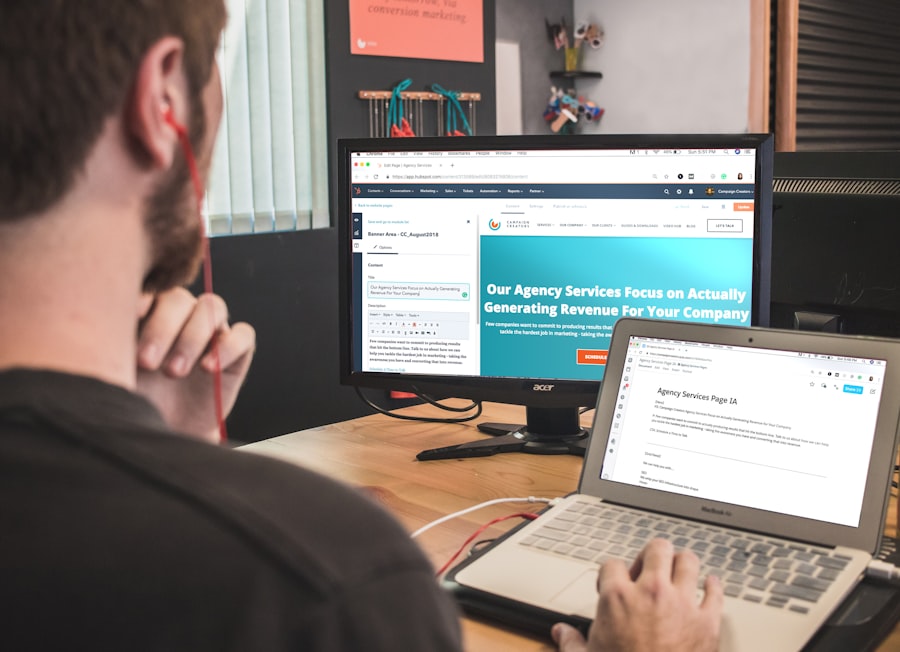
CSS preprocessors like SASS and LESS have become integral tools in modern web development workflows. They extend standard CSS with features such as variables, nesting, and mixins, which streamline the styling process and enhance code organization. For instance, using SASS allows developers to define variables for colors or font sizes that can be reused throughout their stylesheets, promoting consistency and reducing redundancy.
Nesting enables developers to write cleaner code by allowing styles to be organized hierarchically, reflecting the structure of the HTML. Postprocessors like PostCSS further enhance CSS by allowing developers to apply transformations after writing their stylesheets. This includes features such as autoprefixing, which automatically adds vendor prefixes to ensure compatibility across different browsers.
For example, instead of manually writing `-webkit-`, `-moz-`, or `-ms-` prefixes for properties like `flex`, PostCSS can handle this automatically based on browser support data. This not only saves time but also reduces the risk of human error in maintaining cross-browser compatibility.
Working with CSS Frameworks and Libraries
CSS frameworks and libraries provide pre-built components and styles that accelerate development processes while ensuring consistency across projects. Popular frameworks like Bootstrap and Tailwind CSS offer extensive collections of responsive grid systems, UI components, and utility classes that simplify design implementation. For instance, Bootstrap’s grid system allows developers to create responsive layouts quickly by utilizing predefined classes such as `.col-md-6` for half-width columns on medium-sized screens.
Tailwind CSS takes a different approach by offering utility-first classes that enable developers to build custom designs without leaving their HTML files.
The flexibility offered by these frameworks allows teams to adhere to design systems while also accommodating individual project requirements.
Best Practices for Cross-browser Compatibility
Ensuring cross-browser compatibility is a critical aspect of web development that requires careful consideration of various factors affecting how styles are rendered across different browsers. One best practice is to utilize feature detection rather than relying solely on browser detection. Tools like Modernizr can help identify whether specific CSS features are supported in a user’s browser, allowing developers to implement fallbacks or polyfills when necessary.
Another essential practice is to test designs across multiple browsers and devices regularly during development rather than waiting until the end of the project. Utilizing tools like BrowserStack or CrossBrowserTesting enables developers to see how their designs perform in real-time across various environments. Additionally, adhering to web standards set by organizations like W3C ensures that code remains compatible with future browser updates while providing a consistent experience for users regardless of their chosen platform.
By integrating these advanced concepts into their workflows, developers can create robust, responsive designs that not only meet user expectations but also stand the test of time in an ever-evolving digital landscape.
If you enjoyed reading CSS Mastery: Advanced Web Standards Solutions By Andy Budd, you may also be interested in checking out this article on Hellread titled Hello World. This article delves into the basics of programming and web development, providing valuable insights for beginners looking to enhance their skills in the field. It complements the advanced techniques discussed in CSS Mastery, offering a well-rounded perspective on web standards and solutions.
FAQs
What is CSS Mastery: Advanced Web Standards Solutions?
CSS Mastery: Advanced Web Standards Solutions is a book written by Andy Budd that provides advanced techniques and best practices for using CSS to create modern and responsive web designs.
Who is the author of CSS Mastery: Advanced Web Standards Solutions?
The author of CSS Mastery: Advanced Web Standards Solutions is Andy Budd, a well-known web designer, and author.
What topics are covered in CSS Mastery: Advanced Web Standards Solutions?
CSS Mastery: Advanced Web Standards Solutions covers a wide range of topics including advanced CSS layout techniques, responsive design, CSS3 features, and best practices for creating maintainable and scalable CSS code.
Who is the target audience for CSS Mastery: Advanced Web Standards Solutions?
The book is targeted towards web designers and developers who already have a basic understanding of CSS and want to take their skills to the next level.
What sets CSS Mastery: Advanced Web Standards Solutions apart from other CSS books?
CSS Mastery: Advanced Web Standards Solutions is known for its in-depth coverage of advanced CSS techniques and its focus on best practices for creating modern and responsive web designs.




